Visual Workflow for AI Content Creation: From Prompt to Published
Build visual AI content creation pipelines that connect text prompts, image generation, video creation, and post-processing in one canvas. No coding required.
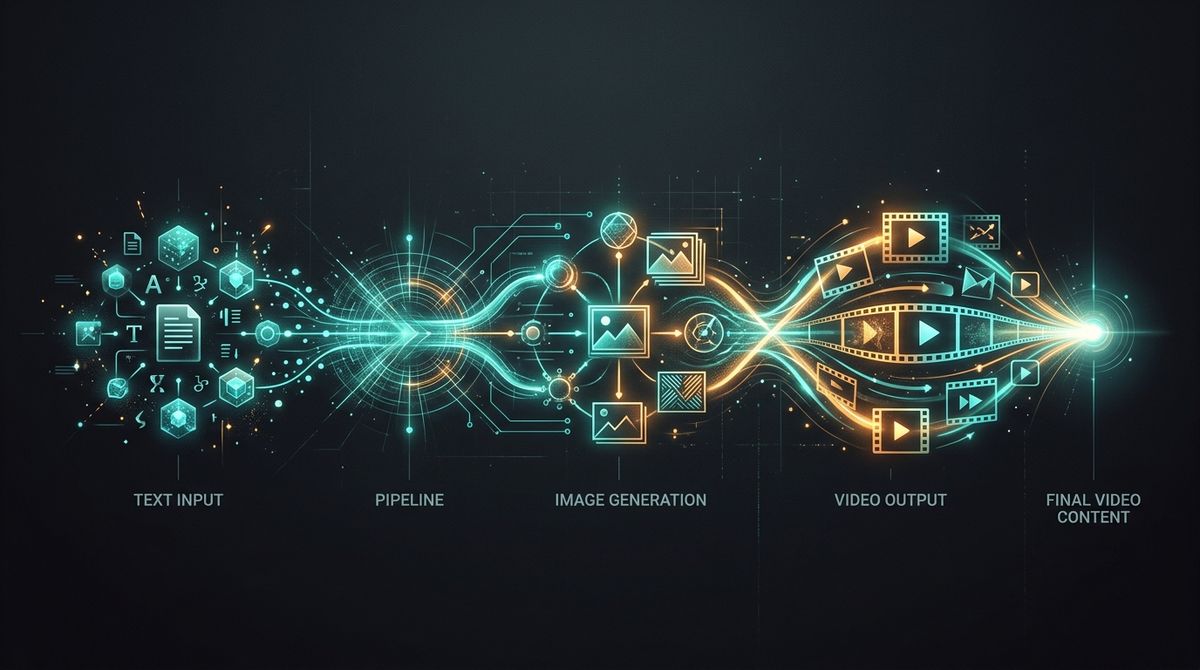
Content creation in 2026 looks like this: generate an image in one tool, edit it in another, upscale in a third, create a video in a fourth, add audio in a fifth. Five tabs, five logins, five manual export-import cycles.
There's a better way. Visual workflows let you build the entire pipeline in one place — and reuse it every time you create content.
The Content Creator's Problem
If you're producing AI-generated content for social media, marketing, or client work, you're probably juggling:
- ChatGPT / DALL-E for initial images
- Midjourney for stylized versions
- Topaz or Magnific for upscaling
- Runway or Kling for video
- CapCut for final editing
Each tool is great at one thing. None of them talk to each other. The workflow is you — manually moving files between tabs.
What a Visual AI Workflow Looks Like
Imagine a canvas where you lay out your entire content pipeline:
Brand Brief → Prompt Enhancement → Image Generation → Style Variants
                                        ↓
                               Background Removal → Product Composite
                                        ↓
                                    Upscale to 4K
                                        ↓
                              Animate to Video → Add Audio
Each block is a node. Data flows through connections automatically. Change the brief at the top, and every output downstream regenerates.
That's Scenetra.
Real Content Workflows
Social Media Batch (Instagram / TikTok)
- Prompt node — your content brief
- Prompt Enhance — AI improves your prompt for visual quality
- Batch Variation — generates 5 prompt variations automatically
- Nano Banana 2 — generates all 5 images
- Kling 3.0 Pro — animates the best one to video
One workflow. Five image posts and one video. Under 5 minutes.
Product Photography Pipeline
- Image Upload — your raw product photo
- Background Removal (Bria) — clean cutout
- GPT Image 1.5 — composite onto styled background
- Topaz Upscale — enhance to 4K for print
- Veo 3.1 — create a product reveal video
From raw photo to marketing-ready assets — images and video — in one pipeline.
Character Consistency Series
- Reference Image — your character/mascot
- Seedream 4.5 — generate new scenes maintaining character
- Batch Variation — multiple poses and settings
- Upscale — production quality
- Gallery Output — all assets organized
Perfect for brand mascots, AI influencers, or story-driven content.
Why Visual Beats Linear
Traditional AI tools are linear: input → output. One step at a time.
Visual workflows are graphs: inputs can branch, merge, and loop. This means:
- One prompt, multiple models — compare outputs instantly
- One image, multiple treatments — upscale AND animate AND edit simultaneously
- Conditional paths — use image-to-image editing only when a reference image exists
- Reusable templates — build once, produce content weekly
The Model Advantage
Scenetra isn't locked to one AI provider. Your workflows can mix:
| Provider | Image Models | Video Models |
|---|---|---|
| Nano Banana 2 | Veo 3.1 | |
| OpenAI | GPT Image 1.5 | Sora 2 Pro |
| Black Forest Labs | Flux 2 Pro | — |
| ByteDance | Seedream 4.5 | Seedance 1.5 Pro |
| Kuaishou | — | Kling 3.0 Pro |
| xAI | Grok Image | Grok Video |
Use Google for images and OpenAI for video. Or ByteDance for everything. Your workflow, your choice.
Start Creating
Go to app.scenetra.com. Pick a template or start from a blank canvas. Build your content pipeline once, then produce content on repeat.
No more tab-switching. No more manual exports. Just the creative part.
Scenetra is a visual AI workspace for content creators. 50+ models, one canvas. Try it →
Try a ready-made AI workflow
One-click tools built on Scenetra — fill in a form, no node editor needed. See all tools
AI Product Photography
Upload one product photo and get four professional lifestyle scenes — kitchen, garden, studio, and living room — background-removed, restaged, and upscaled to crisp detail.
AI Fashion Photoshoot Generator
Upload your clothing photos and get a full AI fashion photoshoot — a generated model wears your garments across styled, cinematic shots.
AI Product Animator
Animate a product photo into a short, ultra-realistic promo clip — background removed, product restaged, then brought to life with camera motion.
AI Lookbook Generator
Turn product photos into a styled four-panel lookbook grid — one polished, magazine-ready layout from a single run.