Midjourney Alternative with API Access: Use AI Image Models Programmatically
Need a Midjourney alternative with real API access? Scenetra gives you 50+ AI image and video models billed at provider cost with 0% markup — always at the best price.
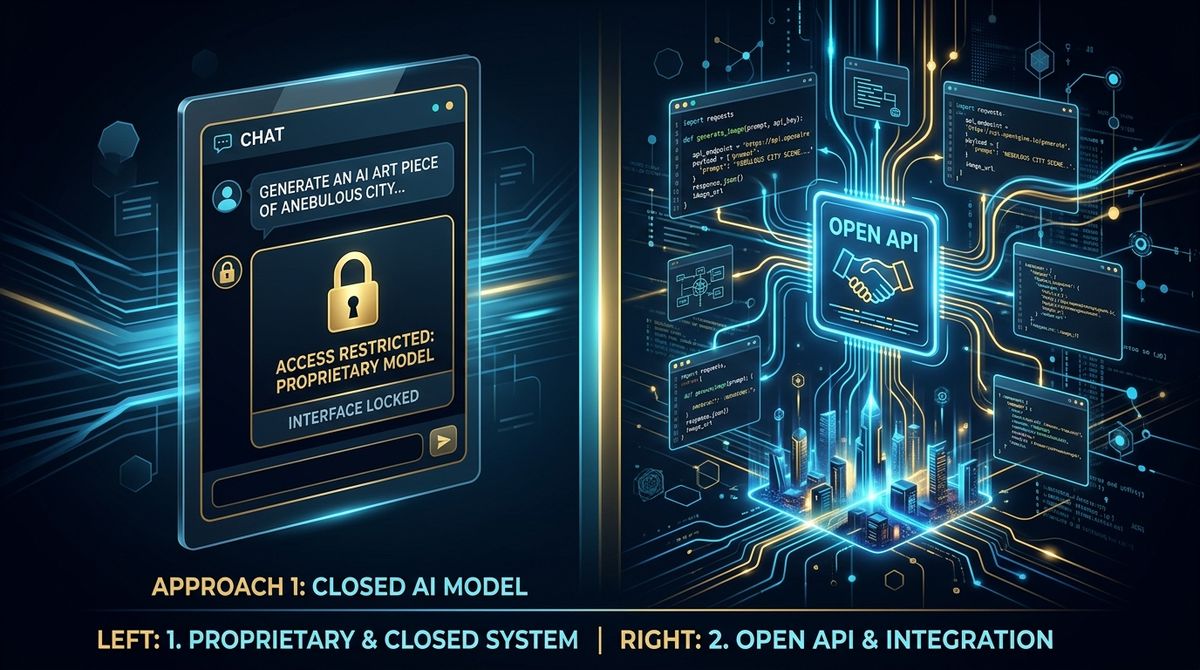
Midjourney makes beautiful images. It also doesn't have an API.
If you're a developer, a SaaS builder, or anyone who needs to integrate AI image generation into a workflow — Midjourney's Discord-only interface is a dead end. You can't automate it. You can't build on top of it. You can't even use it outside of Discord reliably.
The question that keeps coming up: what's a Midjourney alternative that actually has API access?
Why API Access Matters
If you're asking this question, you probably need one of these:
- Automated pipelines — trigger generation from code, webhooks, or other tools
- Batch processing — generate hundreds of images without manual prompting
- Integration — embed generation into your app, CMS, or content pipeline
- Cost control — pay per image instead of a flat monthly subscription
- Model choice — not locked into one model's aesthetic
The Midjourney Alternatives with APIs
Let's be direct about the landscape:
Direct API providers:
- Replicate — hosts Flux, Stable Diffusion, and hundreds of open models
- fal.ai — fast inference for Flux, Kling, Veo, Seedream, and more
- OpenAI API — GPT Image 1 and 1.5 (DALL-E successor)
- Google Gemini API — Nano Banana, Imagen 4
The problem: Each provider has its own API, auth, SDKs, and billing. Want to use Flux from Replicate AND Kling from fal.ai? That's two integrations, two billing accounts, two sets of error handling.
Scenetra: All Models, One Interface (Visual or API)
Scenetra sits on top of all these providers and gives you:
1. Visual Workflow Editor
Drag-and-drop node-based canvas. No code needed. Connect prompts to models to post-processing to output.
2. Provider Cost, 0% Markup
One account, one balance — no juggling API keys and billing dashboards across Replicate, fal.ai, OpenAI, and Google. Every generation runs a live price auction across our suppliers and bills at provider cost.
No markup. No hidden margins. You pay the best available provider price.
3. 50+ Models in One Place
Instead of integrating with 4 different APIs, you get everything through one interface:
Image models you'd actually use:
- Flux 2 Pro — the community's go-to for quality
- Nano Banana 2 — fast, up to 4K
- GPT Image 1.5 — best instruction following
- Seedream 4.5 — excellent text rendering
- Grok Image — xAI's new model
Video models (something Midjourney can't do at all):
- Veo 3.1 — Google, up to 4K
- Kling 3.0 Pro — cinema quality
- Sora 2 Pro — OpenAI
Midjourney vs Scenetra: Honest Comparison
| Midjourney | Scenetra | |
|---|---|---|
| Image quality | Excellent (one model) | Excellent (50+ models) |
| API access | No | Yes — MCP for AI agents |
| Pricing | $10-60/month flat | Pay per image at provider cost |
| Interface | Discord | Web canvas |
| Video generation | No | Yes (10+ models) |
| Batch processing | Limited | Built-in |
| Custom workflows | No | Node-based editor |
| Model choice | Midjourney only | Flux, DALL-E, Gemini, etc. |
| Upscaling | Built-in | Multiple upscalers |
When Midjourney is still better:
- You love the Midjourney aesthetic specifically
- You don't need API access
- Discord-based workflow works for you
- Community features (remix, variations in chat) matter
When Scenetra is better:
- You need API-level access to models
- You want pay-per-image instead of subscriptions
- You need video alongside images
- You want to compare models before committing
- You're building automated content pipelines
Cost Comparison
Midjourney: $30/month for 15 GPU-hours (~200 images?). Fixed cost whether you use it or not.
Scenetra: Pay per generation at provider cost — 0% markup.
- Flux 2 Pro: ~$0.03/image
- Nano Banana 2: $0.045-0.15/image
- GPT Image 1.5: $0.02/image
Generate 100 images with Flux 2 Pro: $3. That's 10% of a Midjourney subscription.
Generate 1,000 images: $30. Same as Midjourney, but you picked the exact model for each one.
Get Started
- Sign up at app.scenetra.com
- Pick a subscription or a one-time credit pack
- Build a workflow or generate directly
- Pay only for what you create
Disclosure: This article compares Scenetra with other tools. As the makers of Scenetra, we've aimed to be factual and fair, but we're obviously biased. We encourage you to try the tools yourself before deciding. Pricing and features were accurate as of March 2026.
Try a ready-made AI workflow
One-click tools built on Scenetra — fill in a form, no node editor needed. See all tools
AI Product Photography
Upload one product photo and get four professional lifestyle scenes — kitchen, garden, studio, and living room — background-removed, restaged, and upscaled to crisp detail.
AI Fashion Photoshoot Generator
Upload your clothing photos and get a full AI fashion photoshoot — a generated model wears your garments across styled, cinematic shots.
AI Product Animator
Animate a product photo into a short, ultra-realistic promo clip — background removed, product restaged, then brought to life with camera motion.
AI Lookbook Generator
Turn product photos into a styled four-panel lookbook grid — one polished, magazine-ready layout from a single run.