AI Image Generation Workflow Builder: Create Visual Pipelines for Any Model
Build reusable AI image generation workflows visually. Connect prompts, models, editors, and upscalers in a drag-and-drop canvas with 50+ AI models.
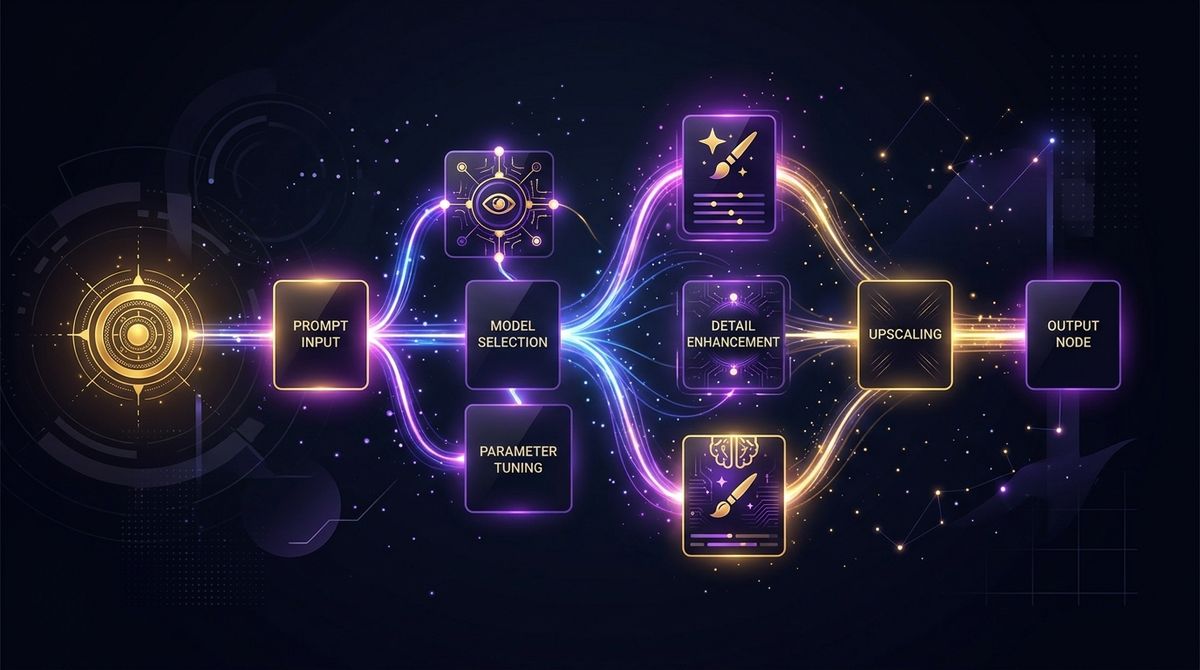
Most AI image tools work like this: type a prompt, click generate, hope for the best. When you need to refine, upscale, or feed into another model — you start over in a different tool.
Workflow builders change this completely. Instead of one-shot generation, you build a reusable pipeline that handles every step from prompt to final output.
What Is an AI Image Workflow?
A workflow is a series of connected steps:
Prompt → Generate → Edit → Upscale → Output
Each step is a node. Nodes connect through handles. Data flows automatically. Change anything upstream, and everything downstream updates.
Simple example:
- Prompt node: "A minimalist product photo of wireless earbuds on a marble surface"
- Model node: Flux 2 Pro (generates the image)
- Upscaler node: Topaz (enhances to 4K)
- Output node: Download-ready asset
Complex example:
- One prompt feeds into three different models simultaneously
- Results go through background removal
- Clean images get upscaled
- Best one gets animated to video
You build it once. Reuse it forever.
Why Workflows Beat One-Shot Generation
Consistency. Run the same pipeline across 50 product shots. Same style, same quality, same post-processing — every time.
Speed. Once your workflow exists, new content is just "change the prompt and run." No manual steps between tools.
Comparison. Split a prompt across multiple models in one workflow. See Nano Banana 2 vs Flux 2 Pro vs Seedream 4.5 side by side without opening three tabs.
Collaboration. Save workflows as templates. Share them with your team. Everyone uses the same pipeline.
Building Workflows in Scenetra
Scenetra is built around this idea. The entire interface is a canvas where you construct workflows visually.
Available Node Types
Generation:
- Nano Banana 2 — fast generation, up to 4K
- GPT Image 1.5 — best prompt adherence
- Flux 2 Pro — professional quality
- Grok Image — xAI's new contender
Editing:
- Qwen Image Edit — instruction-based editing
- Seededit — seed-controlled transformations
Utility:
- Topaz Upscale — AI enhancement up to 4K
- SeedVR Upscale — up to 10x resolution
- Bria / Recraft — background removal
- Prompt Enhance — improve your prompts with AI
Video (yes, in the same workflow):
- Kling 3.0 Pro — cinema-quality video
- Veo 3.1 — Google's best, up to 4K
- Sora 2 Pro — OpenAI video generation
Templates
Don't want to build from scratch? Scenetra includes pre-built workflow templates:
- Product photography pipeline
- Social media content batch
- Character consistency workflow
- Image-to-video animation pipeline
One click to load, then customize for your needs.
Workflow Builder vs Individual Tools
| Individual Tools | Workflow Builder | |
|---|---|---|
| Steps connected | No (manual export/import) | Yes (automatic data flow) |
| Reusable | No (repeat from scratch) | Yes (save as template) |
| Multi-model comparison | Open multiple tabs | Side by side in one canvas |
| Batch processing | Manual | Built-in |
| Post-processing | Separate tool | Same workflow |
| Team sharing | Screenshots | Shareable templates |
Get Started
- Open app.scenetra.com
- Start with a template or blank canvas
- Drop nodes, connect them, generate
- Save your workflow for next time
Build once, create forever.
Scenetra is a visual AI workspace for building image, video, and audio generation workflows. Try it →
Try a ready-made AI workflow
One-click tools built on Scenetra — fill in a form, no node editor needed. See all tools
AI Product Photography
Upload one product photo and get four professional lifestyle scenes — kitchen, garden, studio, and living room — background-removed, restaged, and upscaled to crisp detail.
AI Fashion Photoshoot Generator
Upload your clothing photos and get a full AI fashion photoshoot — a generated model wears your garments across styled, cinematic shots.
AI Product Animator
Animate a product photo into a short, ultra-realistic promo clip — background removed, product restaged, then brought to life with camera motion.
AI Lookbook Generator
Turn product photos into a styled four-panel lookbook grid — one polished, magazine-ready layout from a single run.