The Best ComfyUI Alternative That Runs Online — No Install Needed
Looking for a node-based AI workflow editor that works in your browser? Scenetra gives you ComfyUI-style visual workflows with 50+ models, no GPU required, no Python, no setup.
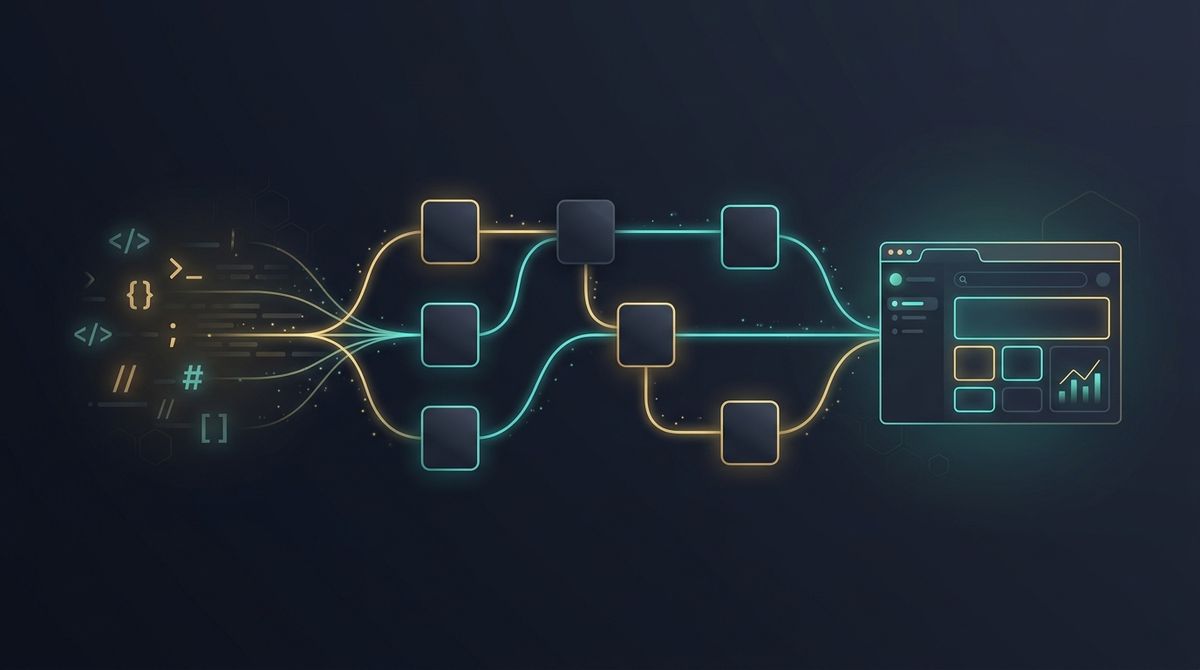
ComfyUI is powerful. It's also a pain to set up.
You need Python, a compatible GPU, CUDA drivers, model downloads, custom nodes, and a willingness to debug dependency conflicts at 2 AM. For developers and power users who live in the terminal, that's fine. For everyone else — designers, content creators, marketers, small teams — it's a wall.
The question people keep asking on Reddit and forums: is there something like ComfyUI that just works in a browser?
Yes. That's exactly what we built Scenetra to be.
What Makes ComfyUI Great (and Painful)
Let's be honest about what ComfyUI does well:
- Node-based workflows — connect models visually, build complex pipelines
- Total control — adjust every parameter, swap models, route outputs
- Community workflows — share and import pipelines from other users
- Open source — free, extensible, transparent
But the friction is real:
- Local installation — Python environment, Git, manual setup
- GPU required — need a decent NVIDIA card (sorry, Mac and AMD users)
- Model management — download multi-GB checkpoint files yourself
- Fragile dependencies — custom nodes break, updates conflict
- No collaboration — it's a local desktop app, one user at a time
- Steep learning curve — even experienced users spend hours on setup
If you've ever Googled "ComfyUI won't start after update" or "custom node not found," you know the pain.
What a Cloud ComfyUI Alternative Needs
Not every "alternative" is actually comparable. Simple prompt-to-image apps like Leonardo AI or Midjourney are easier, but they're not workflow tools. You can't chain models, build pipelines, or control the generation process.
A real ComfyUI alternative needs:
- Node-based visual editor — drag, connect, build workflows
- Multiple AI models — not locked into one provider
- Works in a browser — zero installation, any device
- Real parameter control — not just "enter prompt, click generate"
- Workflow reuse — save, share, and template your pipelines
Scenetra: Node-Based AI Workflows in Your Browser
Scenetra is a visual AI workspace built around the same core idea as ComfyUI — nodes and connections — but designed to run entirely in the cloud.
How It Works
You build workflows by connecting nodes on a canvas:
- Input nodes — text prompts, uploaded images, audio files
- Generation nodes — AI models that create images, videos, or audio
- Editing nodes — modify, upscale, remove backgrounds, edit with AI
- Output nodes — preview, download, or feed into the next step
Data flows through connections automatically. Change a prompt, and every downstream node updates. Swap a model, and the pipeline adapts.
50+ AI Models, One Interface
This is where Scenetra diverges from ComfyUI most dramatically. Instead of downloading checkpoint files and configuring model paths, you get instant access to models from multiple providers:
Image Generation:
- Nano Banana 2 (Google Gemini) — fast generation up to 4K
- GPT Image 1.5 (OpenAI) — best instruction following
- Flux 2 Pro (Black Forest Labs) — professional quality
- Seedream 4.5 (ByteDance) — excellent text rendering
Video Generation:
- Kling 3.0 Pro (Kuaishou) — cinema-quality video
- Veo 3.1 (Google) — up to 4K with native audio
- Sora 2 Pro (OpenAI) — 1080p video generation
- Seedance 1.5 Pro (ByteDance) — fast iteration
Utility:
- Topaz and SeedVR upscaling (image and video)
- Bria and Recraft background removal
- Prompt enhancement and extraction
No downloads. No VRAM limits. Models run on cloud GPUs, so your laptop doesn't matter.
Provider Cost, 0% Markup
Scenetra doesn't lock you into a subscription with hidden margins. Every generation runs a live price auction across our suppliers and bills at provider cost — 1,000 credits always equal $1.00 of compute, with 0% added.
This is something no other visual workflow tool offers — you always pay the best available price.
Scenetra vs ComfyUI: Side by Side
| Feature | ComfyUI | Scenetra |
|---|---|---|
| Node-based workflows | ✅ | ✅ |
| Installation required | Python + GPU setup | None (browser) |
| GPU required | Yes (local NVIDIA) | No (cloud) |
| Available models | Stable Diffusion + manual | 50+ (Flux, Kling, Sora, Veo, etc.) |
| Video generation | Limited, via extensions | Native (10+ video models) |
| Audio generation | No | Yes (TTS, SFX) |
| Image editing | Via inpainting nodes | Native multi-model editing |
| Batch variations | Manual workflow setup | Built-in batch tools |
| Save as template | Export JSON | One-click save + share |
| Collaboration | No | Cloud-based, any device |
| Cost | Free (+ GPU electricity) | Pay-per-use credits at provider cost |
| Model updates | Manual download | Automatic, always latest |
When ComfyUI Is Still Better
Being honest: ComfyUI wins in specific scenarios.
- Custom model training — if you're fine-tuning your own Stable Diffusion checkpoints, ComfyUI's local integration is unmatched
- Offline work — no internet needed once set up
- ControlNet workflows — ComfyUI's ControlNet ecosystem is deeply developed
- Cost at extreme scale — if you're generating thousands of images daily, local GPU amortizes cheaper than API calls
- Open source philosophy — if running open-source models locally is a core value
If you're a developer building custom Stable Diffusion pipelines, ComfyUI is still excellent at what it does.
When Scenetra Is the Better Choice
- You don't want to deal with Python, CUDA, or dependency hell
- You need video generation (Kling, Veo, Sora) alongside image generation
- You want access to the latest models without downloading anything
- You work on a Mac, Chromebook, or don't have a dedicated GPU
- You need to share workflows with a team
- You want to compare outputs across different models quickly
- You prefer pay-per-use over maintaining local GPU infrastructure
Getting Started
- Go to app.scenetra.com
- Create a free account
- Drop your first node on the canvas
- Start generating
No install. No GPU. No setup guide. Just the creative part.
Disclosure: This article compares Scenetra with other tools. As the makers of Scenetra, we've aimed to be factual and fair, but we're obviously biased. We encourage you to try the tools yourself before deciding. Pricing and features were accurate as of March 2026.
Try a ready-made AI workflow
One-click tools built on Scenetra — fill in a form, no node editor needed. See all tools
AI Product Photography
Upload one product photo and get four professional lifestyle scenes — kitchen, garden, studio, and living room — background-removed, restaged, and upscaled to crisp detail.
AI Fashion Photoshoot Generator
Upload your clothing photos and get a full AI fashion photoshoot — a generated model wears your garments across styled, cinematic shots.
AI Product Animator
Animate a product photo into a short, ultra-realistic promo clip — background removed, product restaged, then brought to life with camera motion.
AI Lookbook Generator
Turn product photos into a styled four-panel lookbook grid — one polished, magazine-ready layout from a single run.